 how-to
Satellite Internet Latency and Zoom Calls: What to Expect
Last Updated: November 8, 2026
Quick Summary
Satellite internet can handle Zoom, but its latency, the delay in data traveling to space and back, makes satellite latency zoom calls feel delayed. Expect a short pause before replies, occasional talking over each other, and brief video freezing. The connection usually still works.
- Latency is measured in milliseconds and is often higher on satellite than on cable or fiber.
- A wired Ethernet connection from router to laptop cuts out Wi-Fi delay.
- Turning off HD video in Zoom can reduce freezing and stutter.
- Pause large downloads and streaming, since one household member can slow the whole connection.
- Restarting your router and moving closer to it often fixes dropped calls within minutes.
Table of Contents
- How Satellite Internet Latency Affects Zoom Calls
- How to Reduce Latency on Zoom
- Wi-Fi Troubleshooting for Zoom Calls and Booking Your Connection Check
- Frequently Asked Questions
How Satellite Internet Latency Affects Zoom Calls
Satellite internet can handle Zoom, but latency is the reason calls over satellite can feel delayed. Latency is the time it takes for data to travel from your device to the internet and back, measured in milliseconds. On a satellite connection, that signal travels a long way to space and back, so the delay is often higher than on cable or fiber.
Most people notice this during satellite latency zoom calls as a short pause before they hear someone answer. Talking over each other is common. Video may also freeze or stutter for a moment. The connection is usually still working. The delay is simply longer than you are used to.
Many rural homes rely on satellite for this reason. Before you book, you can check satellite internet availability by address to confirm service at your home. The REVOLUTION llc checks the connection type and expected latency for your address, so you know what to expect before your first call.
How to Reduce Latency on Zoom
You cannot remove satellite delay completely, but you can reduce its impact on calls. Small changes often make a noticeable difference:
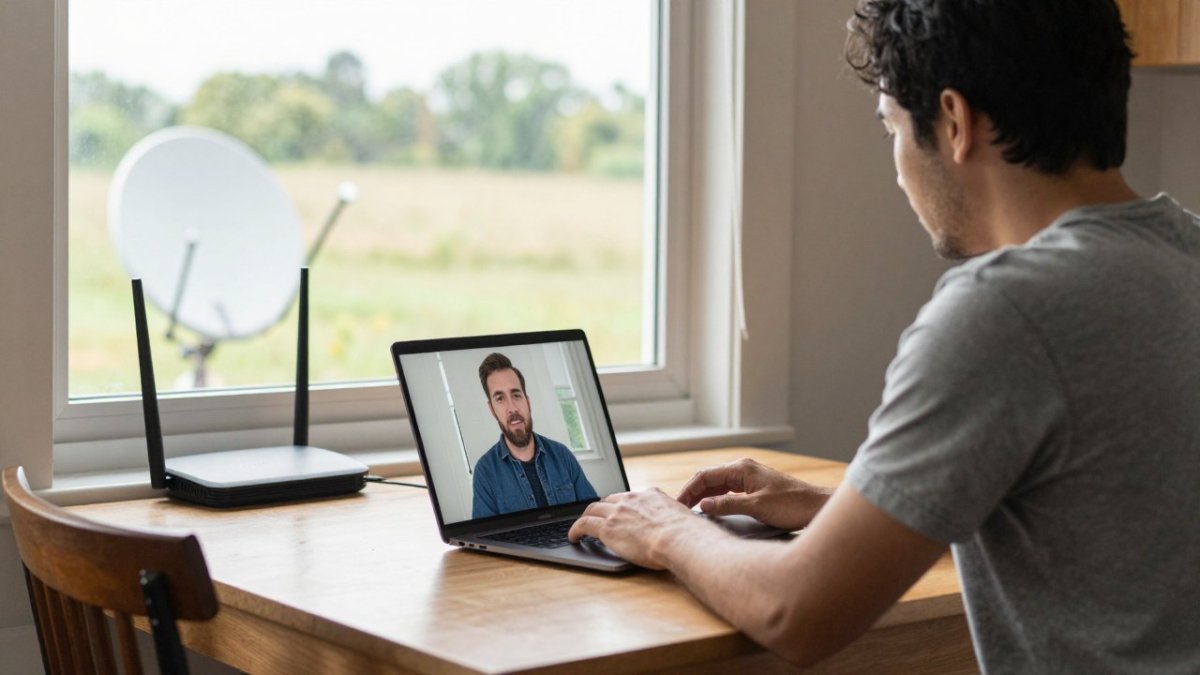
- Use a wired connection. An Ethernet cable from the router to your laptop cuts out Wi-Fi delay.
- Close background apps. Cloud backups and video streams use bandwidth during your call.
- Lower Zoom's video quality. Turning off HD video can reduce freezing and stutter.
- Ask others to pause large downloads. One household member streaming can slow the whole connection.
Just call, email or text the REVOLUTION llc, or visit therevllc.com.
Several small changes can reduce how much satellite delay affects your calls:
| Change | What it helps with | Why it works |
|---|---|---|
| Use a wired connection | Wi-Fi delay | An Ethernet cable from router to laptop cuts out Wi-Fi delay |
| Close background apps | Bandwidth use | Cloud backups and video streams use bandwidth during your call |
| Lower Zoom's video quality | Freezing and stutter | Turning off HD video can reduce freezing and stutter |
| Pause large downloads | Whole-household slowdowns | One household member streaming can slow the whole connection |
Wi-Fi Troubleshooting for Zoom Calls and Booking Your Connection Check
If calls keep dropping, start with the basics. Restart your router, move closer to it, and check for interference from walls or appliances. These steps often fix the problem in a few minutes.
If the problem continues, the cause may be your satellite signal, such as an obstruction or weather. The REVOLUTION llc can assess these concerns for you. All you need to do is reach out by phone call, email or text to book your connection check. Visit therevllc.com to get started.
Frequently Asked Questions
Is satellite internet good enough for Zoom calls?
Satellite internet can support Zoom calls for most households, but the delay, or latency, is higher than with fiber or cable. Latency is the time a signal takes to travel to the satellite and back. That round trip adds a noticeable pause in conversation, and it can make video freeze if the connection is unstable. Many people find video calls workable on satellite, especially with a stable signal, a wired connection to the router and enough upload bandwidth. Call the REVOLUTION llc at your address and we will assess the connection options available to you.
What internet speed do I need for a Zoom call?
Zoom publishes general guidance for bandwidth, and the amount you need depends on whether you send video, share your screen or join a group call. Upload speed matters as much as download speed for video calls, because your camera feed travels upstream. Several people on the same connection need more total bandwidth. If you are unsure what your household needs, call, email or text the REVOLUTION llc to start that conversation.
Why does Zoom freeze on satellite internet?
Freezing and stuttering usually come from packet loss, jitter or a brief drop in signal rather than from latency alone. Obstructions such as trees, heavy weather or a dish that has shifted can interrupt the signal. Running a test call and checking whether the freezes line up with the signal dropping can help identify the cause. Reach out to the REVOLUTION llc by phone, email or text to discuss your situation.